Getting started
The following guidance is to help principals and boards get the most out of their connection.
SMS connection instructions
All major SMS are connected to Te Rito. Below is how you connect each type.
SMS | Steps |
|---|---|
| Edge / Helix | You can do it by:
|
| eTAP | The eTAP team will do it for you:
|
| Hero | Site admins can do it by:
|
| KAMAR | You can do it by emailing terito@education.govt.nz with:
Your principal will receive credentials* from teritosupport@edsby.com Use the credentials to complete these steps:
* The credentials expire after 7 days. |
If your SMS isn't listed above you should talk to them about connecting to Te Rito.
Videos
See our short videos on Te Rito's benefits and how it works.
[Background music]
[Ministry of Education logo on screen
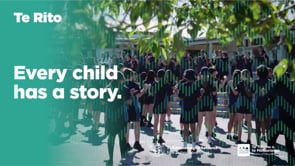
[A large group of students’ feet dancing and jumping]
[Text on screen: A secure cloud-based service for schools that connects and shares data between SMS and education systems.]
[Te Rito wordmark on screen]
[Text on screen: Te Rito for Educators]
[Scene pans out to show blurred large group of students dancing together outside classrooms, one student wearing a hat is in the foreground, with back to camera]
[Scene transitions through additional different angles of the dancing group]
[‘Every child has a story’ unfolds on screen as voiceover starts]
Every child that walks through our gate has a story. And that story deserves to be known and needs to be heard.
[A range of different outdoor scenes show students in the school grounds, playing, sports and walking to class]
Children do tend to be numbers, if we don't create the narrative behind them.
[The principal walks through the school gate, greeting students as he enters the school buildings]
Our job is to see them, to know them, and protect their mana.
[Principal talking to camera, and appearing in playground scenes, where a small group of younger students are playing on a jungle gym]
Traditionally, what happens when a child moves schools, nothing goes with them. We have to reach out to their previous school and know the questions that we have to ask.
Often it is in response to something that is pressing or concerning.
[Principal talking to camera]
Te Rito will change that.
[A range of playground scenes continue]
[A group of students with backpacks and water bottles enter school buildings, talking and laughing, they’re then seen getting ready to start their lessons in the classroom]
With Te Rito, it's not just data, it's the narrative behind the data that comes together and it travels with you from primary to intermediate to high school.
[Principal talking to camera]
It creates a really rich tapestry for the learner and the educators to draw upon.
[‘Connecting data between systems’ unfolds on screen as voiceover of Deputy Principal starts]
[Deputy Principal walks into view]
[Deputy Principal talking to camera]
I think in a lot of parents' eyes, something like Te Rito, they just assume exists, and it doesn't.
[Scene transitions back to classroom where it’s now filled with students getting ready for their lesson with the Deputy Principal]
[Deputy Principal stands by whiteboard at front of class with students sitting on the floor raising their hands to answer questions]
And so they can't understand why we're asking the same questions that the teachers from previous years have asked. And I can imagine that would be quite frustrating.
Te Rito gives us the ability to weave things together, so we can track that child all the way through their year levels.
[‘Less admin, more impact’ unfolds on screen as voiceover of Deputy Principal continues]
[More classroom activities, led by the Deputy Principal, follow]
The way data transfer worked previously is that it was quite a manual task and it was done at a set time of year.
There were many spreadsheets – and some of them contradicted each other – and there were handwritten notes.
[The scene transitions to the Deputy Principal sitting with another staff member in an office, discussing what they see on a laptop screen in front of them]
[Deputy Principal talking to camera]
[Scenes transition between the Deputy Principal speaking with the other staff member, and him teaching in the classroom environment, where lots of students are actively engaged in learning]
A big advantage with Te Rito is the accuracy and the speed. It delivers both from numerous sources so we’re able to build a bigger picture of that child before they get to us.
That's probably one of the most important benefits to me as a teacher is the time that it's given me back.
[Whānau Leader walks into view, she is the same person Deputy Principal was speaking with in previous scenes]
[Whānau Leader working on a laptop]
Te Rito really helps us understand the child as a whole, their strengths, their challenges, and the connections that they have already made so that we as teachers coming into their life in the next phase could build on that more strongly.
[Whānau Leader talking to camera]
[Whānau Leader in classroom leading learning activities and students shown to be actively engaged and interacting]
So then as soon as the child steps into the classroom or the school environment, they feel that sense of belonging because we already know the child.
[Voiceover transitions back to Principal, and he appears on screen talking to camera]
One of the biggest benefits of Te Rito is cost saving – time, resourcing; we are more agile and able to meet the needs of our students and we can free up time for our core business, which is actually teaching the kids.
[‘Information protected as taonga’ unfolds on screen as voiceover of Principal continues]
[Scene returns to playground setting, where an outdoor assembly is taking place]
[A teacher stands behind a large audience of students sitting on rows of benches, their backs to the camera]
[The scene transitions to a close-up of students’ hands clapping]
[The scene transitions to a small group of students standing at an outdoor garden bed, where they are happily weeding plants and flowers. Beautiful bright yellow and orange flowers are visible in the foreground. Everyone is smiling]
[The Principal’s voiceover continues]
Te Rito’s like carrying a backpack of your educational journey and it may have little gems inside there, and I mean, that's priceless.
Know me before you teach me, that is the heart of it.
[Te Rito’s whakatauāki unfolds on screen:
Me tiaki te mana o te tamaiti me tōna whānau.
Protect the mana of the child and their family]
[Two young students reappear on screen, happily chatting and smiling, scene fades out]
[Ministry of Education logo with education.govt.nz url, and Te Rito wordmark with terito.govt.nz url, appear on screen]
[All of government logo appears on screen]
Video ends.
[Background music]
[Ministry of Education logo on screen]
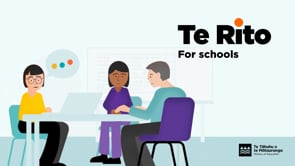
[Text on screen: Te Rito for schools – Less admin, more impact as voiceover starts]
Te Rito is a secure, cloud based service for schools that connects and shares data between education systems and applications.
[The scene cuts to show two students and one principal standing on a map of inter-connected schools]
Currently learning information is captured by schools and the Ministry in different ways using different systems.
[Multiple systems appear on screen, all displaying different types of information and content]
And until now, there's been no easy way to consolidate it and ensure it travels safely with students as they move through their education.
[A young student is shown walking to school, she grows up as she walks. A row of coloured dots representing data appear behind her]
Te Rito changes that. It brings it all together for access by those involved in a student's learning.
[Zoom in on dots, middle dot turns into lightbulb]
Enabling up-to-date data to follow learners throughout their education is what Te Rito is all about.
[Map of inter-connected schools with data dots going between them, two students appear standing on the map of inter-connected schools. One jumps from one school to the next with each of the dots following]
Valuable data transfers with them when they move between kura and schools so before they arrive, you already know what makes them unique and what they need to achieve.
[Student (Jamie) walks into school bouncing a basketball, he throws the basketball to the principal, the ball turns into a data dot]
Here's how it works. Your kura or school’s tumuaki or principal signs up to Te Rito, and your SMS is connected to the platform so your data can start flowing to and from systems.
[Principal is sitting at computer, camera pans up to show data dots going into cloud]
Every 24 hours, data is shared between Te Rito, your SMS, plus other Ministry systems and education apps that are connected to Te Rito too. A reliable, regular flow of accurate data means it's there when you need it, so you don't have to spend time finding, sorting, or updating it. Te Rito does it for you.
[Data flows out of cloud, zoom in one one dot which morphs into pie wedge, which then forms into other wedges to form pie graph, zoom out to show multiple dots moving onto ordered columns of dots]
You, your teachers and school administrators can get some time back to work on other priorities. And less administration means you can better plan to support your students whether they arrive at the beginning of term, or partway through the school year, or attend just your school or multiple schools.
[Cut to principal and two teachers at table chatting. Zoom into whiteboard behind them, notes on whiteboard scribble on, cut to map of inter-connected schools with lightbulbs]
Te Rito makes it easy to manage information, especially at busy times of the year. Enrolments, school and classroom planning and reporting, role returns, transitions and exams.
[Cut to teacher juggling data dots, she then catches them and throws one off screen]
The best part is whānau can be confident you're working together for the benefit of their tamariki.
[Jamie catches the data dot which has turned into a basketball, zoom out to show his parents helping him get ready for school]
They don't need to repeat these stories, situations or needs each time there's a change.
[Jamie walks to school bouncing his basketball as data dots follow him]
Their tamaiti's information is available as soon as they enroll, and everyone can work together to provide what they need to achieve.
[Close-up of Jamie and his data dots, the dots move off screen, cut to dots appearing over three-way split screen showing principal and the two teachers]
So when Jamie arrives at his new school, his tumuaki, principal, teachers, and kaimahi are ready to go from day one.
[Jamie walks past them bouncing basketball, zoom out to show principal and two teachers in school building]
They’re across how he likes to work, how he's progressing, and how his characteristics and strengths change over time.
[Cut to show Jamie throwing basketball to teacher in classroom, the basketball changes back into data dot, teacher places data dot with other dots above Jamie’s head]
Your access to the right data at the right time, to guide the right decisions, means better outcomes, for you, and learners like Jamie. Te Rito gives you back the time you need to focus on what matters most.
[Zoom into three rows of data dots above Jamie’s head. Zoom back out to show other students with data dots above their heads]
Imagine all the possibilities if information could follow students throughout their education. Te Rito is making it happen.
[Zoom out of classroom into school yard with row of students with data dots above their heads]
Connect to Te Rito. Make every connection count. Me tiaki te mana o te tamaiti me tōna whānau.
[Te Rito’s whakatauāki text on screen: Me tiaki te mana o te tamaiti me tōna whānau. Protect the mana of the child and their family]
Protect the mana of the child and their family.
[Ministry of Education, Te Rito wordmark, URL’s and Government logo on screen]
See terito.govt.nz for details.
Checklists
We’ve summarised some of the key considerations for the early stages of setting up.
School Boards checklist
To get started, School Boards should consider:
- Talking to your contributing schools about Te Rito and agreeing useful sets of data
- Ensuring clear transition processes between the schools in your community
- Working through each of the checks in the below managing privacy checklist
Principals checklist
To get started, principals should:
- Connect their SMS by following the above instructions
- Work through each of the checks in the Managing Privacy checklist
Managing privacy checklist
Principals should:
- Make sure your school’s privacy policy is up-to-date and everyone understands it
- Know who your school’s Privacy Officer is and what their responsibilities are
- Make sure roles and responsibilities for managing personal information are clear, and everyone knows how to identify a privacy breach
- Consider completing a Privacy Impact Assessment for your school – and get familiar with Te Rito’s one and its Privacy Statement
- Let parents and whānau know Te Rito will be used in your school
- Encourage school staff to complete the Office of the Privacy Commissioner’s learning module Privacy ABC for Schools
Other useful resources
There's lots of good guidance out there and we've listed some for you to explore as part of your school's connection process.
Guidance to help you with managing information
- Managing and protecting personal information / Legal and privacy – Ministry of Education
- Information, Privacy & Copyright – Te Whakarōputanga (formerly the NZ School Boards Association)
- Online safety tools and resources for schools and kura / Self-service kete – Netsafe
- Check your online security with the cyber assistant tool / Cyber assistant tool – Ministry of Education
- Choosing safer technologies for schools and kura / Safer Technologies for Schools (ST4S) – Ministry of Education
- Preparing and supporting new principals / A guide for aspiring and new principals – Education Review Office
Guidance to help you with managing privacy
- Privacy Act 2020 – New Zealand Legislation
- Privacy responsibilities under the Privacy Act – Office of the Privacy Commissioner
- Privacy ABC for Schools – Office of the Privacy Commissioner
- Overview of schools’ privacy rights and responsibilities
- Applying the Privacy Act in practice
- Privacy Breach reporting – Office of the Privacy Commissioner
- How to reduce the risk of privacy breaches
- How to manage privacy breaches
- How to notify the Privacy Commissioner of serious privacy breaches
- Privacy statement generator – Office of the Privacy Commissioner